
Blender 3.3 的 Geometry Nodes 将新增 UV 展开系节点!Amal Kumar 公开了便于理解的 UV 可视化 .blend 文件。
UV Wnwrap and Pack UV Islands
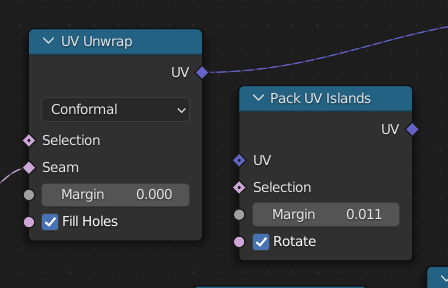
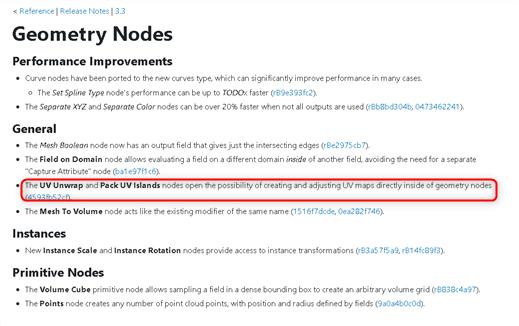
The UV Unwrap and Pack UV Islands nodes open the possibility of creating and adjusting UV maps directly inside of geometry nodes
通过 UV Unwrap 和 Pack UV Islands 节点,可以在几何节点内部直接创建和调整 UV 贴图(4593fb52cf)。
UV 自动化似乎也会继续推进!太棒了!!!
Amal Kumar 公开了可视化 UV 数据的 .blend 文件,可免费下载。
UV Unwrapping nodes are here!😋#blender3d #b3d #geometrynodes pic.twitter.com/U9qnzfsxK9
— Amal Kumar (@amalbubble) July 4, 2022
缩略图中的猴子就是使用这个 .blend 文件拍摄的。
Blender 3.3 目前可以下载 α 版。请务必看看!
链接
Amal Kumar 的数据下载地址:https://drive.google.com/file/d/1jDdmMepL4ATZrc-hC0UUXgdFVvuQ0BmS/view
https://t.co/rzoeSvkP1f Anybody want to see my node and scene setup here is the file.
Disclaimer: The nodes are a bit unorganized.— Amal Kumar (@amalbubble) July 4, 2022
据说在 Geometry Nodes 中生成的 UV 在应用修改器后,即使输出到游戏引擎也能正常使用。 应用修改器后,属性栏中会存储 UV 信息,因此按下 + -按钮下方的 V 按钮
将属性转换为 UVMap 即可。
Hi, the UVs get stored as an attribute currently after applying the geo nodes modifier. The attribute after applying the modifier can be converted to a UV map. So it can then export the UVs just like a regular mesh to any game engine. pic.twitter.com/EQX1BZcK9H
— Amal Kumar (@amalbubble) July 4, 2022
如果想同时使用多个版本的 Blender,推荐使用 Blender Launcher