
介绍由ishikawa masaya氏(@kamone)制作的Web应用『svg2step』。它可以方便地将从Adobe Illustrator复制的路径以及SVG文件简单转换为STEP格式。
svg2step
I published #svg2step an web app that converts Adobe Illustrator path to a .step file. A handy tool to import your graphics to #Plasticity #plasticity3d. Built using #Paperjs.
イラレからパスをコピペしてSTEPに変換するウェブアプリを作りました。
Try here.https://t.co/FgwhzzScEK pic.twitter.com/B9OdsGeXLZ— ishikawa masaya (@kamone) May 20, 2023
svgファイル読み込み機能もつけました。https://t.co/FgwhzzScEKhttps://t.co/IVP3K8cMMt pic.twitter.com/z0sHD0ivlT
— ishikawa masaya (@kamone) May 21, 2023
Adobe Illustrator的路径数据(svg)可通过复制粘贴转换为.step文件(ISO 10303-21)的实用工具。
为将路径导入Plasticity(https://www.plasticity.xyz)而开发。
试用地址 https://dev.cog.ooo/svg2step/
2023/5/22 ver1.1 中已可从finder(explorer)导入svg文件。
2023/5/20 版本1.0
v1.1 支持SVG格式真让人高兴!

结合之前介绍过的AI生成SVG的服务,就能轻松把图片导入Plasticity。
Vectorizer.AI Beta – AIパワーでJPGやPNGのビットマップ画像をSVGベクターファイルに変換出来るサービス!ベータ版が無料使用可能!
我也立刻试用了。把Blender的Logo导入到了Plasticity中。

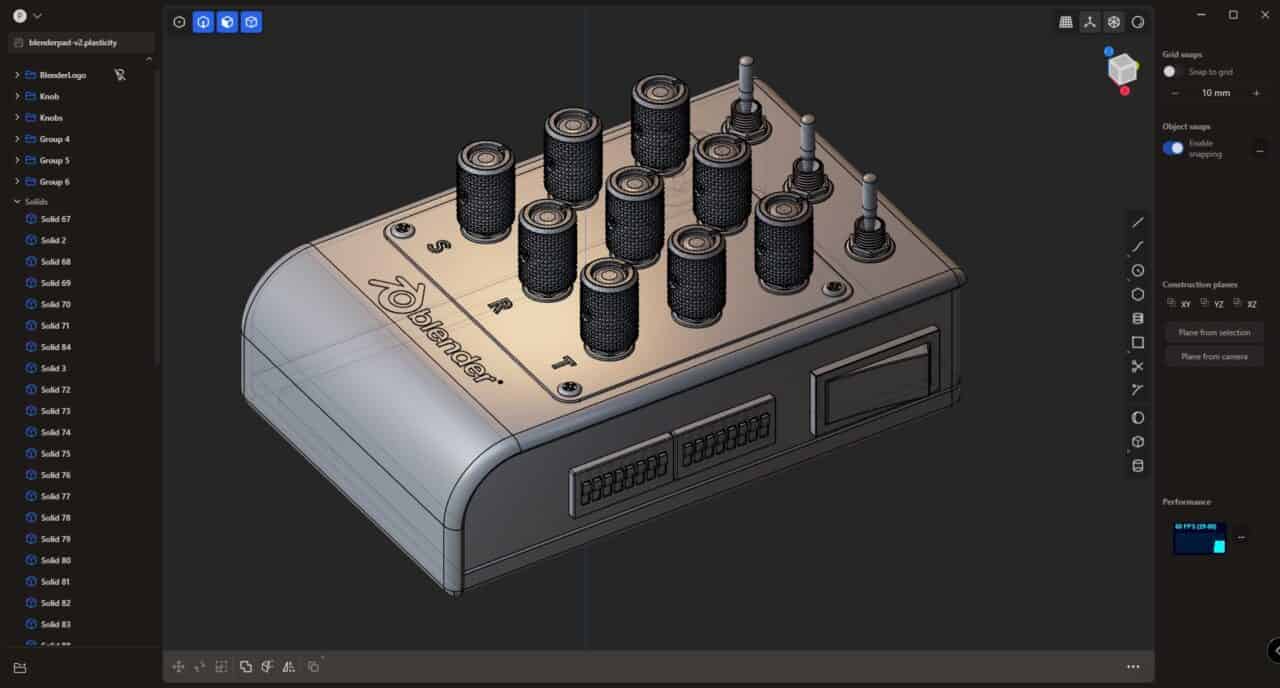
Plasticity的Pro版可以读取STEP文件。
这是用Blender做的吗?
这个作品只使用了Plasticity和Toolbag……。
“svg2step”非常方便!大家也一定要去看看!
链接
svg2stepを試す
svg2step – Github