
(
映维网
2018年07月04日
)希望马上开始画画吗?你可以访问
这个网站
。同时,请确保你的浏览器支持WebXR。对于Chromium,请通过chrome:// flags / #enable-gamepad-extensions启用相应的flag。火狐浏览器即将推出支持。 没有VR设备?不用担心,你可以通过任意设备欣赏社区的绘画作品。
Mozilla VR团队表示,他们是
Tilt Brush
的铁杆粉丝。这是VR作为艺术表现媒介力量的一个优秀例子。在过去数周时间,Mozilla VR团队一直在实验基于Web的网页版Tilt Brush。我们希望说明,即便没有安装创作软件,你仍然可以轻松通过网页创作和分享你的VR作品。

要浏览绘画作品,你只需一款支持WebGL的浏览器,但为了满足你的创作冲动,你需要包含控制器的系统。这意味着目前A-Painter只支持
HTC Vive
。不过,Mozilla VR团队表示他们希望很快就带来改变。
1. 今天可以用A-Painter做什么?

2. 如何开始
非常简单。在支持WebVR的浏览器(在about:config中启用Gamepad Extensions)转到
A-Painter官网
,并且打开HTC
Vive
头显。拿起控制器,按下扳机键,然后你就可以开始自己的创作了。
如果没有头显,你仍然可以通过鼠标和键盘,或者是移动设备来浏览其他人的作品。
3. 控制器
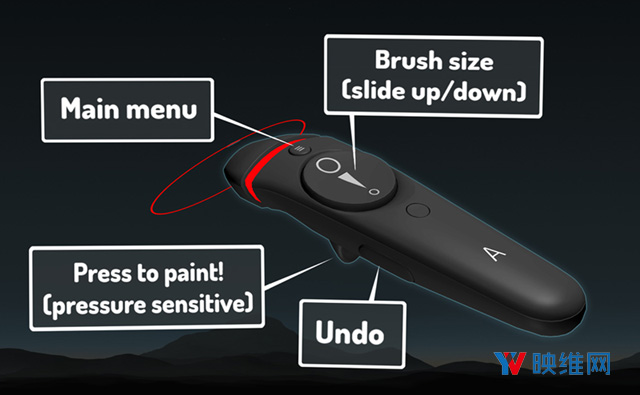
打开主菜单后,你可以将另一个控制器指向所需选项,并按下扳机键来修改颜色,大小和画笔类型。

4. 可扩展的A-Painter
要创建新画笔,请实现以下接口,并通过调用AFRAME.registerBrush(brushName,definition,options)进行注册。
接下来,定义以下内容:
BrushInterface.prototype = { addPoint: function (position, orientation, pointerPosition, pressure, timestamp) {}, tick: function (timeOffset, delta) {}};
唯一需要实现的函数是addPoint。借助addPoint,你可以对控制器返回的点,方向和压力数据执行一定的操作(即创建或修改几何图形)。如果你向场景添加了某些内容则返回true,否则返回false。如果要添加动态行为,请实现tick函数(每一帧调用)。
以下是自定义spheres画笔的代码:
/* globals AFRAME, THREE */
/* globals AFRAME, THREE */
AFRAME.registerBrush(
// Name of brush.
‘spheres’,
// Methods for brush definition.
{
init: function (color, width) {
// Initialize the material based on the stroke color.
this.material = new THREE.MeshStandardMaterial({
color: this.data.color,
roughness: 0.5,
metalness: 0.5,
side: THREE.DoubleSide,
shading: THREE.FlatShading
});
this.geometry = new THREE.IcosahedronGeometry(1, 0);
},
// This method is called every time we need to add a point
// to our stroke. It should return `true` if the point is
// added correctly and `false` otherwise.
addPoint: function (position, orientation, pointerPosition,
pressure, timestamp) {
// Create a new sphere mesh to insert at the given position.
var sphere = new THREE.Mesh(this.geometry, this.material);
// The scale is determined by the trigger pressure.
var scale = this.data.size / 2 * pressure;
sphere.scale.set(scale, scale, scale);
sphere.initialScale = sphere.scale.clone();
// Generate a random phase to be used in the tick animation.
sphere.phase = Math.random() * Math.PI * 2;
// Set the position and orientation of the sphere to match
// the controller’s.
sphere.position.copy(pointerPosition);
sphere.rotation.copy(orientation);
// Add the sphere to the `object3D`.
this.object3D.add(sphere);
// Return `true`, since we’ve correctly added a new point (sphere).
return true;
},
// This method is called on every frame.
tick: function (timeOffset, delta) {
for (var i = 0; i < this.object3D.children.length; i++) {
var sphere = this.object3D.children[i];
// Calculate the sine value based on the time and the phase for
// this sphere, and use it to scale the geometry.
var sin = (Math.sin(sphere.phase + timeOffset / 500.0) + 1) / 2 + 0.1;
sphere.scale.copy(sphere.initialScale).multiplyScalar(sin);
}
},
},
// Additional options for this brush.
{
thumbnail: ‘brushes/thumb_spheres.gif’,
spacing: 0.01
}
);
更多关于创建自定义笔刷的信息请访问
这里
。
5. 未来计划
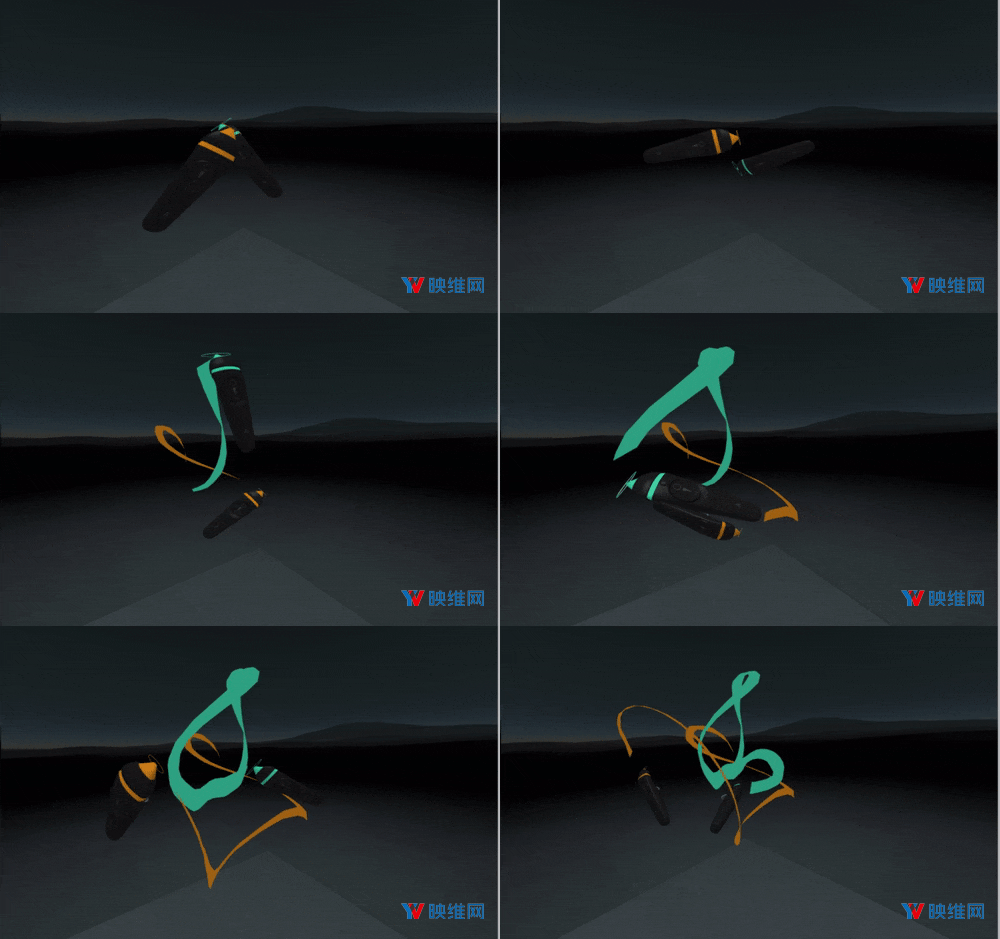
Mozilla VR团队表示,在开发工具时,他们构思了一系列有趣的点子。 A-Painter的未来将取决于你和其他用户的反馈,而以下是他们希望在未来增加的功能:
当然,如果你有任何想法,问题,或者希望直接为代码库做出贡献,你随时都可以访问
A-Pinter的GitHub页面
。
0